Paper exams, marked by your computer.
Write your multiple-choice questions, print the papers, scan the answer sheets and get the marks. No coding, no LaTeX files, nothing to install.
Sign in with the demo account, on a laptop or desktop:
- Username
demo_instructor- Password
Demo@1234!4567
Why this exists
Auto Multiple Choice (AMC) is excellent free software: it prints your exam, reads the scanned answer sheets and does the marking. But to use it you have to write the exam in LaTeX or AMC’s own text format, and find your way around a desktop program. Many teachers who are not comfortable with code never get past that.
This portal keeps AMC as the engine and replaces the part that scared people. You work in a web page, one step at a time, and you can always go back.
| Task | AMC on its own | With this portal |
|---|---|---|
| Getting started | Install AMC and LaTeX on your computer | Open a web page. Nothing to install. |
| Writing the exam | A source file in LaTeX or AMC’s text format | Fill in forms, and see the maths as you type |
| Knowing what comes next | Learn the program’s tabs and their order | Ten numbered steps, a tour, and help on every step |
| When something goes wrong | Keep your own backups | Go back to any earlier version; deleted exams wait 30 days in the trash |
| The marking | AMC | The same AMC, in the background |
Made for teachers, not programmers
No coding, no LaTeX files
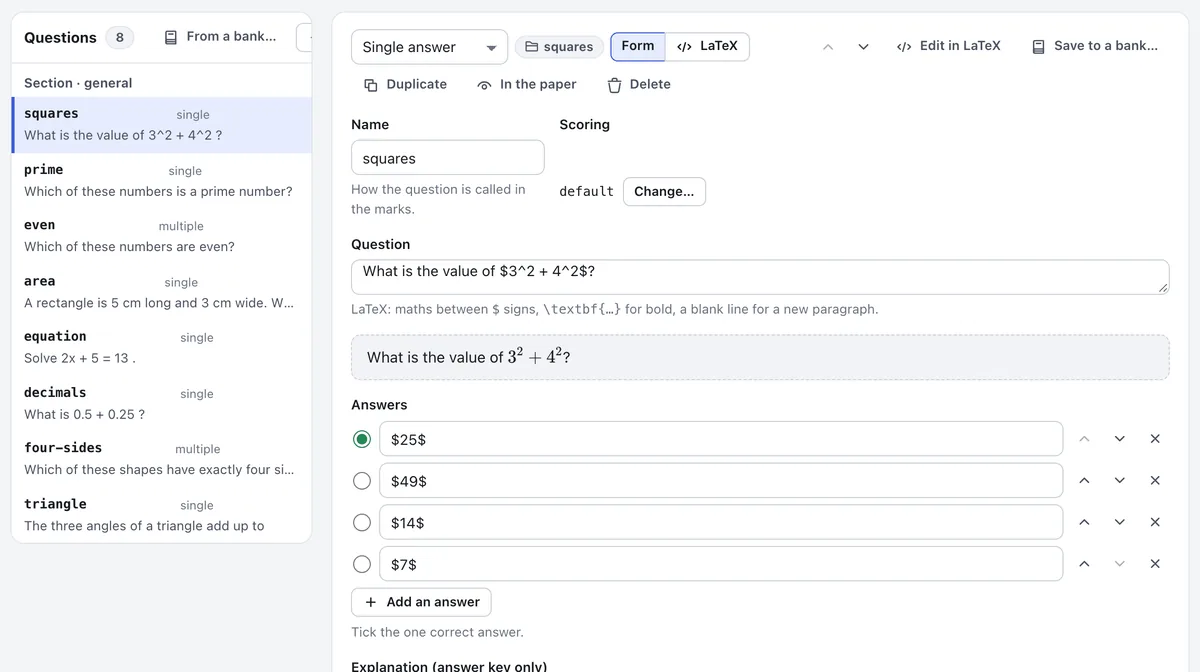
Type each question into a form and tick the right answer. Your changes are saved as you type.
For maths, put it between $ signs and you see it as it will print. A blank exam or a template gives you somewhere to start, and if you already like LaTeX, it is one click away.
It shows you the way
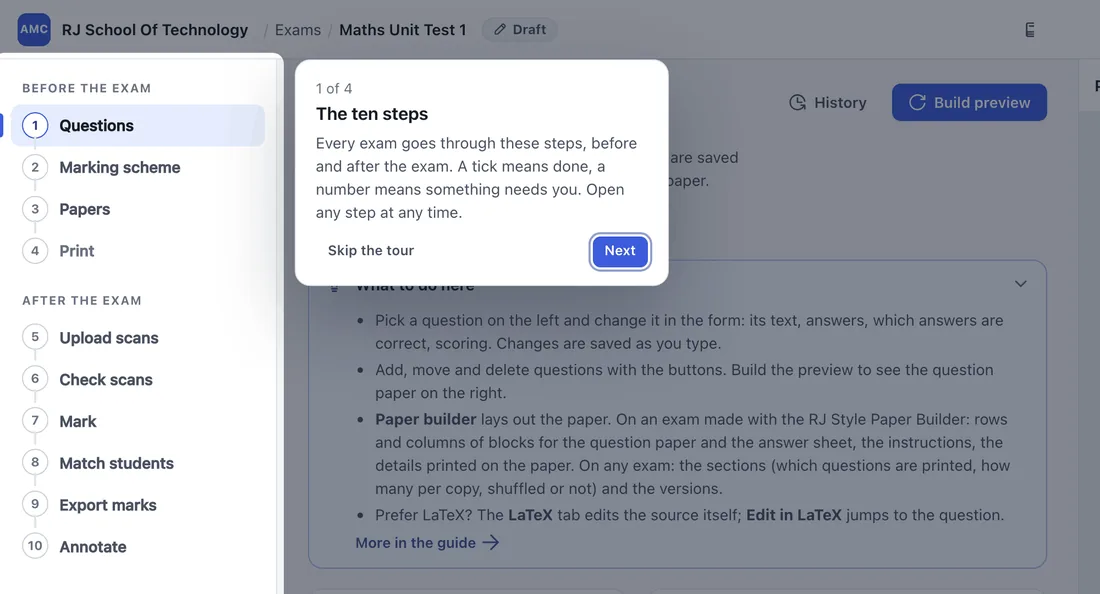
Every exam follows the same ten steps, listed down the side of the screen. A tick means done; a number means the step still needs you.
A short tour explains the screen, each step has its own “What to do here” note, and the full guide is always one click away.
Mistakes can be undone
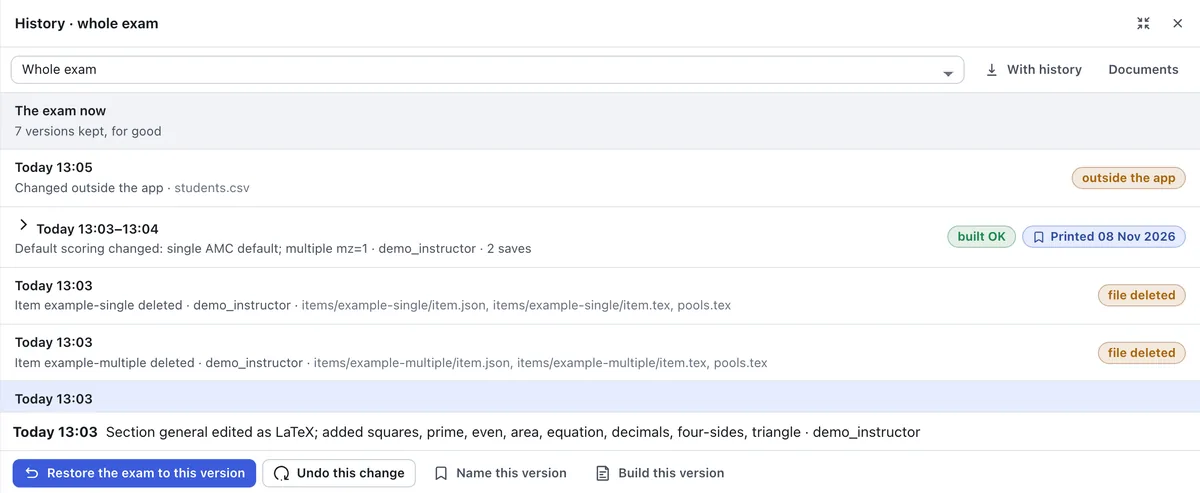
This is what makes it safe to try things. Every save is kept as a version, so you can come back to any earlier point: the whole exam, one file or just one change. Even a restore can be undone.
A deleted exam stays in the trash for 30 days. Once the papers are printed the questions lock, so they cannot drift away from what your students have in hand, while the answer key and the marks can still be corrected.
Ten steps, from questions to marks
Before the exam
- QuestionsType them into forms, or take them from a question bank.
- Marking schemeMarks for right and wrong answers, and the final mark.
- PapersBuild the papers and confirm that they look right.
- PrintSave print-ready PDFs and print them on any printer.
After the exam
- Upload scansDrop in the scanned sheets. Each page is recognised automatically.
- Check scansYou only see the pages and boxes it is unsure about.
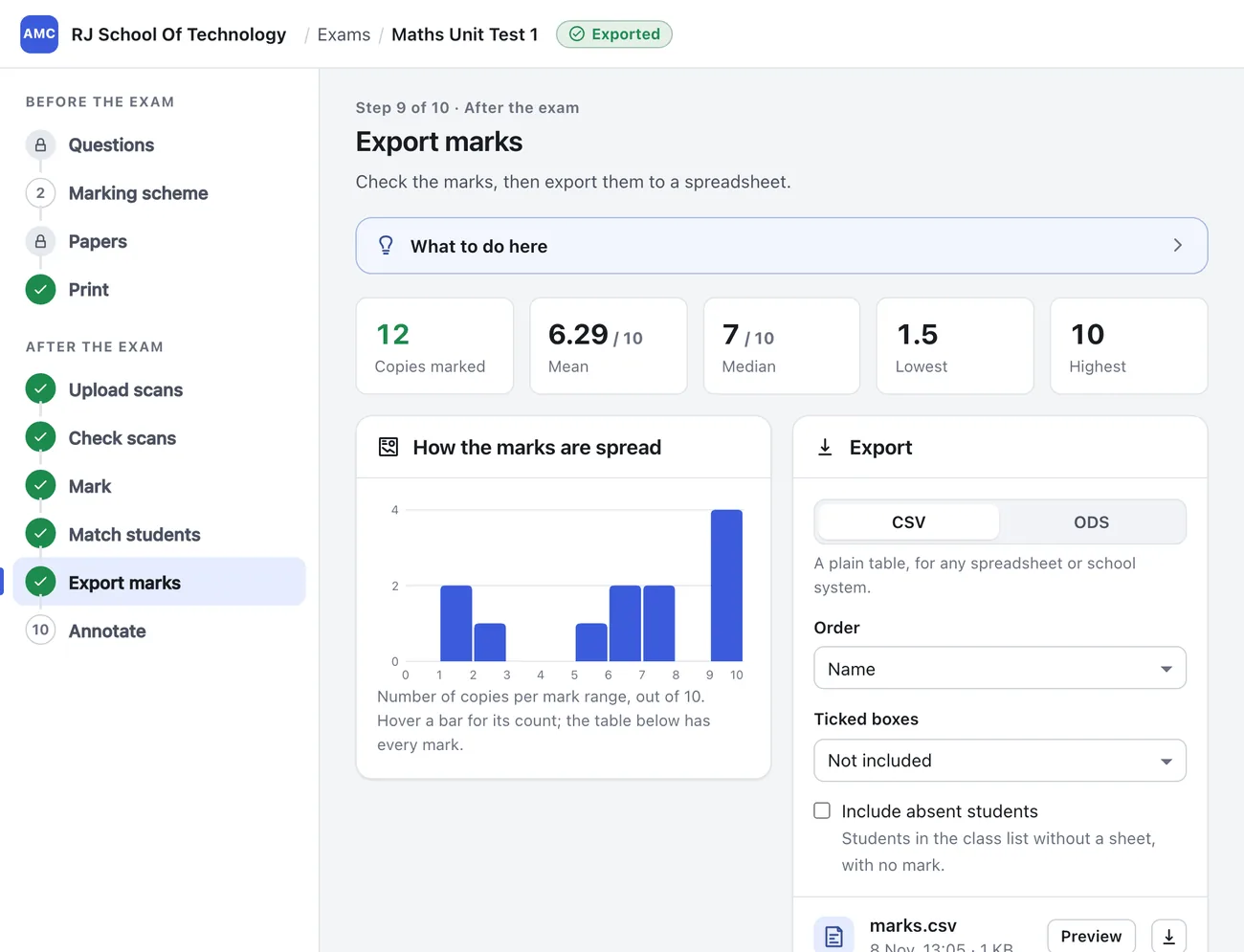
- MarkEvery copy’s mark is computed for you.
- Match studentsSheets are matched to your class list; you settle the rest.
- Export marksDownload a spreadsheet, as CSV or ODS.
- AnnotateA marked copy of each student’s sheet.
The user guide walks through every step with pictures.
When you are ready for more
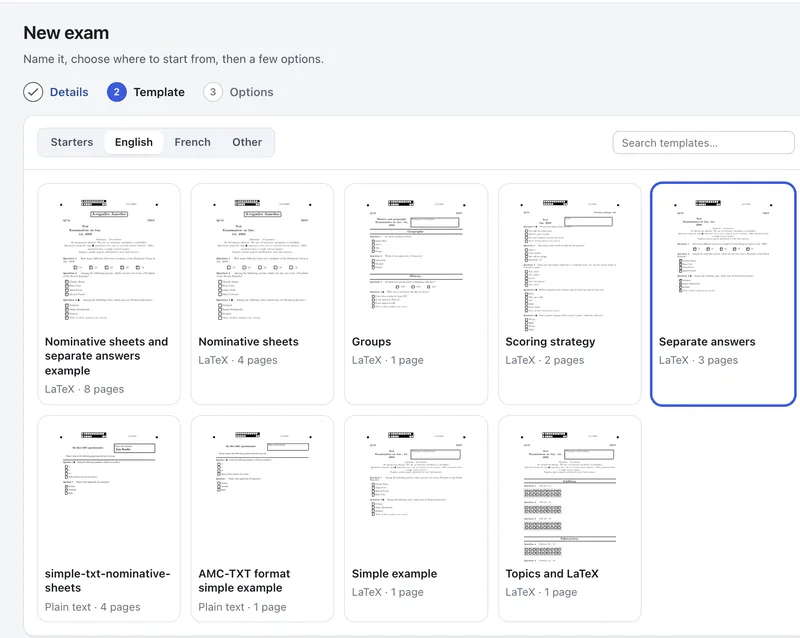
Templates
Start from a blank exam, one of AMC’s examples or the RJ Style Paper Builder, and see a preview of each before you choose.
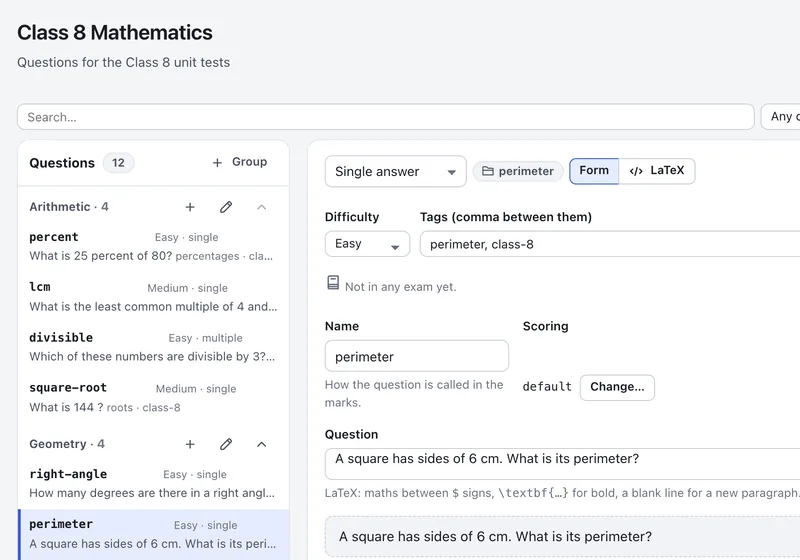
Question banks
Keep your questions in one place, by topic and difficulty, and reuse them in any exam, or ask for “3 easy + 5 medium from Algebra”.
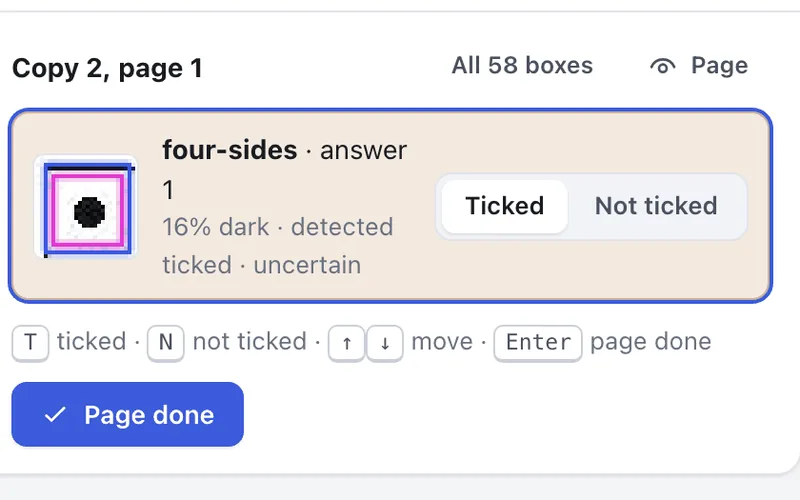
Only the doubtful boxes
You do not check every sheet. You see only the boxes the scan was unsure of, and settle each with one key.
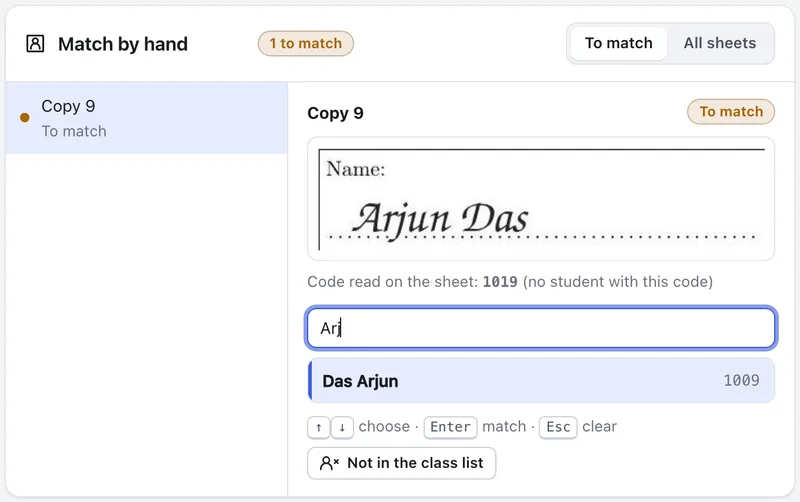
Handwritten names
When a student fills in the wrong number, you see the name they wrote, and match it to your class list in seconds.
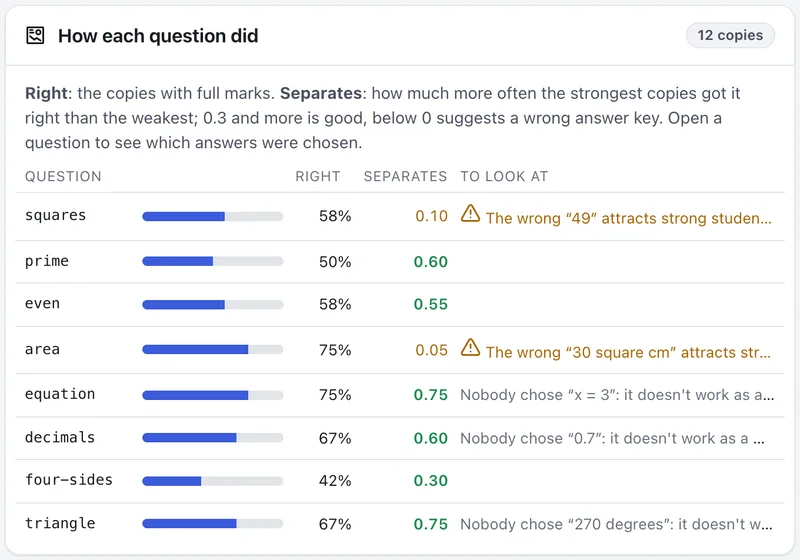
Which questions worked
After marking, see which questions separated strong students from weak ones, and which wrong answers fooled them.
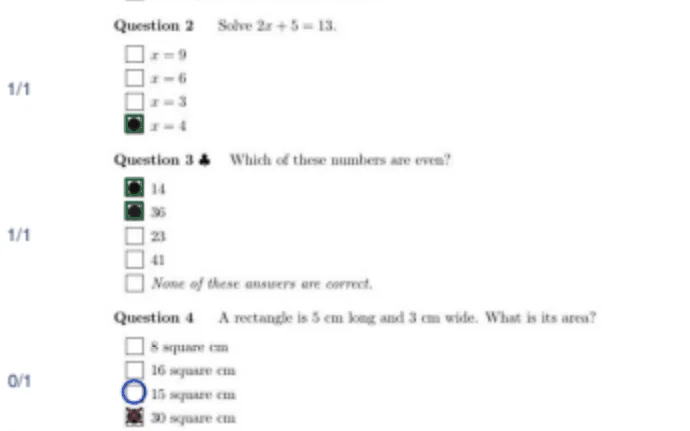
Marked sheets
Each student’s own sheet comes back with the marks and the right answers shown on it, ready to hand out.
Try it now
- Open the demo portal and sign in with this account.
- Open Maths Unit Test 1 to see a finished exam, from its questions to its marks.
- Open Maths Class Test 3 and finish it yourself: settle the scan problems inCheck scans, then go on to Mark. Or click New examand write your own.
Stuck? The Guide menu at the top of the portal has a tour and help for each step, and the user guide (PDF, 7 MB) starts from the very beginning.
- Username
demo_instructor- Password
Demo@1234!4567
Everyone shares this account, and it goes back to the start every night.Other visitors can see what you type, so please don’t enter real students’ names or marks.
Open the demo portalUsing it for real exams
What you need
- A laptop or desktop with a web browser
- Any printer, and ordinary paper
- A scanner or copier that can save PDFs (300 dpi is best)
Where to run it
An account on my server. To run real exams at amc.rjana.in, or to report a problem, write to rakesh@maths.iitkgp.ac.in.
Your own copy. It is free software (AGPL-3.0), and the code will be published here soon, so that you can run it on your own computer or a school server.
Common questions
Do I need special answer sheets?
No. Everything prints on ordinary paper, and each sheet carries the marks the scanner needs to read it.
What kinds of questions can I ask?
Questions with one right answer or several, with maths and figures.
Can I use my phone?
The portal is made for laptops and desktops, in English for now.
Built on Auto Multiple Choice and the AMC web app by Alexis Bienvenüe and the AMC development team, to whom all the credit for the marking goes. This is an independent version: please send questions about it to me, not to the AMC team.